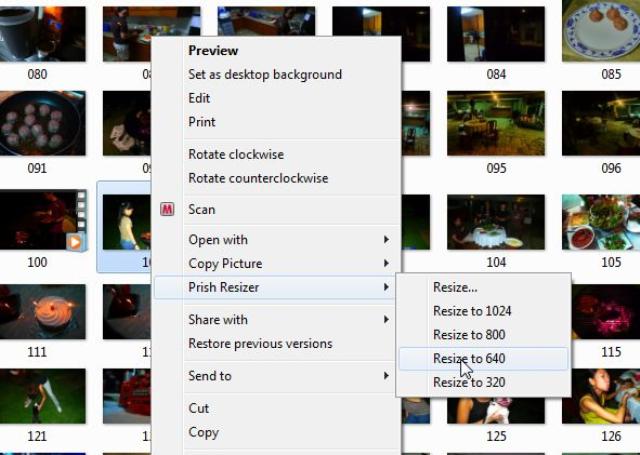
If you’ve been using Windows XP’s Power Toys plugins, you may have grown accustomed to its simple “right + click” ease of use for resizing images. With Windows 7 out, Power Toys XP isn’t compatible. There’s a workaround for this. You can download Prish Image Resizer which does the same thing and is also backward compatible with Windows Vista and Windows XP. It’s been around for a while, but it works like a charm! Pure simplicity.

One reply on “Resizing Images on Windows 7 without Power Toys XP”
I burn a lot of photo CDs and DVDs for others, always trying to remember to add smaller file versions of each photo as an added bonus. The Power Toy option was fantastically easy, but I bumped up to a Vista OS (64 bit). Fortunately, the Prish Resizer is just as easy after you take a couple of minutes to get familiar with the screen and the options. This is a great substitute for people who no longer can use the Power Toy feature.
Frank.