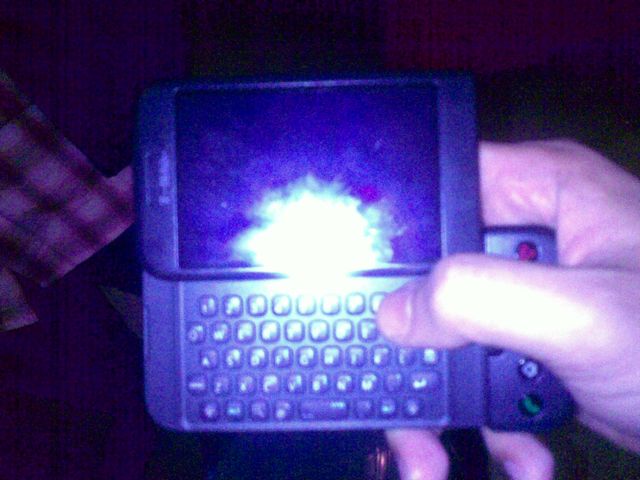
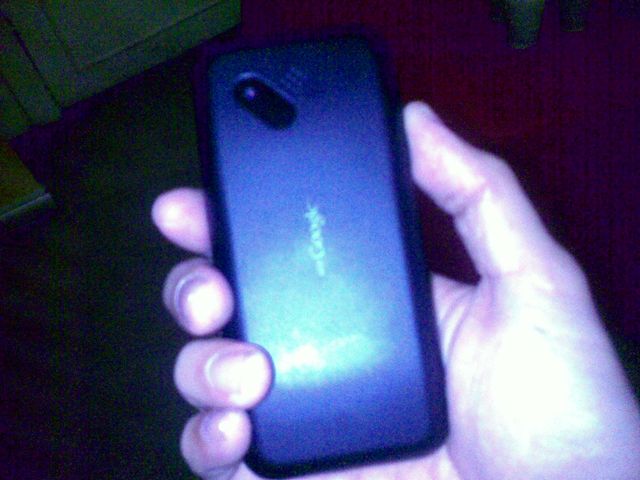
Pardon me for the ugly photos. We were in low light and I didn’t have a decent camera to take photos. Then again, the blurry shots give some sort of “OMG you really held one!” aura. Heh.
So Art “no rice” Samaniego (inside joke, folks! 🙂 ) calls this the “Ugly Betty” of the mobile phone industry. It is by far the most interesting piece of technology since the iPhone because it is the first implementation of Google’s Android OS. So it is indeed curious, and thanks to Art I was able to take a few shots of the G1, which was manufactured by HTC.
More photos and extensive first impressions after the jump.

Design
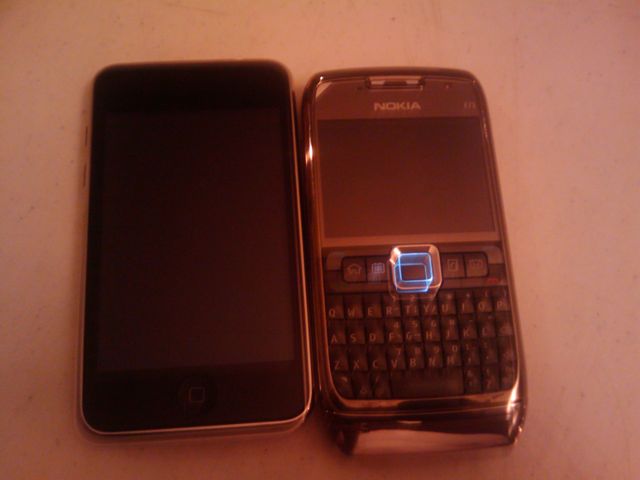
Although HTC is now known for their elegant Touch series of devices, the G1 is very disappointing in terms of aesthetics. Compare this side by side an iPhone, a Nokia E71 or a Palm Treo and the G1 definitely stands out as the least elegant. In fact, if you’ve ever held a BenQ P50 or P51, the G1 feels like a spiritual successor in terms of the way it cradles onto your hand. I must reiterate, it does look cheap.
The design of the G1 is highlighted by the odd slider mechanism that snaps the screen in and out, revealing or hiding the QWERTY keypad. Although unique, the mechanism snaps in and out with so much force, it may cause you to drop the device if you’re not careful. You’re going to be doing a lot of opening and closing as this is the default way to input text. Sliding the keypad out automatically brings you to landscape view.
Usability
If you’re curious to compare the scroll quality of the G1 (powered by Android) and the iPhone / iPod touch, I made a short video demo below. It’s very similar:
The UI philosophy behind the G1 is very different from the iPod touch / iPhone as the former is limited to three side scrolls and a taskbar which you can pull up at any time. The three menus contain apps, displayable widgets (like Google Chrome, you can convert apps into shortcuts or widgets onto the main menu), and a search bar. The taskbar displays all the apps you’ve installed. Widgets can be dragged around the screen by simply pressing and holding and then dragging them around.
Perhaps the biggest winner for Android is the Android Apps store. This is very similar to the Apple iTunes / Apps Store with the exception that there aren’t much restrictions to application approvals. This allows developers more freedom, yet it can also cloud the store with a lot of useless applications. But as stated in the book, The Wisdom of Crowds, the community will eventually self monitor content, with the more useful applications standing out.
Features
The G1’s 3.1MP camera isn’t something worth writing home about. Here’s a sample photo taken with it, resized to 600 x 400 for easy viewing. I took out the flash.
Other features include Bluetooth, 802.11g WiFi, and GPS navigation. What’s also disappointing with the G1 is that you cannot beam photos via Bluetooth. You need to send them via GMail.
The G1’s browser is very decent. Although the device is touch screen enabled, you cannot perform the pinching functions similar to the iPhone.
Bottomline
Art asked me to rate the device based on my first impressions. I have to agree with him that we should wait for the “G2” or whatever HTC comes up with for T-Mobile. Apart from the odd sliding keyboard, the G1’s body is also slightly curved. The built in scroll wheel in the middle of the device is a good addition, but it would have been to T-Mobile’s benefit if they made the device look a little more elegant.
However, in terms of what’s inside the device, the G1 is a software masterpiece, as it is the only device that truly matches the iPhone’s usability without compromising it’s own set of neat features. I honestly can’t wait to see how Android develops in the next few months.
Afterthought
The exciting thing about G1 is that this is the proof of concept of Android – a Linux based operating system that aims to cut cost in production because it is free. Because it is supported by an open community, the user experience becomes more sensitive in terms of making adjustments. What’s even more promising is that phone manufacturers are already placing their bet on an Android device. Not only will this cut cost, but it will also enable big phone manufacturers to customize Android to fit their hardware. Imagine a Nokia or Samsung or Sony Ericsson phone running on Android with an iPhone like experience? And this definitely will not hurt their pervious investments (Nokia for instance has S60) because since Android is an open platform, it will be relatively easy* to create applications or conduits to sync data to and from their proprietary operating systems (like Symbian, Windows Mobile, BlackBerry etc).
* Nota Bene: this is merely an assumption based on what information we’re given, but it seems very possible and probable.

78 replies on “G1 Android Review and Photos”
Hmm. I want to see the next model.
Sana maka hawak din ako. Di ba mas cheaper ito compared to iPhone?
I agree. I have also held the tmobile G1 and was unimpressed by the unit. It had first generation flaws all over. But the G1 is more of like a proof of concept of the potential of android. Once the open community embraces the platform and google puts boatloads of money to develop it further and smoothen out the edges this may be the future of smartphone OS. And hopefully nokia embraces android too for future iterations of their touch screen phones as symbian just wasn’t made for touch interface.
Hi Lawrence,
IMHO Nokia will probably make a few of these devices but they’ll still stick to their commitment to the S60 platform at least in the short term. There’s huge potential for Android as OS licensing for mobile phones isn’t as “Selfish” as it used to be: i.e. Samsung licenses S60 as well and Windows Mobile while Motorola also has a few WM6 devices and Linux-based OS hacks.
Good times to be a consumer!
Hopefully I can play with this phone one day.
[…] know that the Google Phone, or the HTC G1 Android, reached Philippine shores until I read Jayvee’s entry. By sheer coincidence, I caught up with Art Samaniego, Technews Section Editor of the Manila […]
So does G1 work in Manila?
yes it does. i even sent email using SMART 3G
Tmobile G1 video clip, check it out!
http://www.youtube.com/watch?v=xoDWh5Eezp0
Well as a developer, we liked the “internet client” phone even the design is not that impressive, yes this year it is going to be all Android (the other phone manufacturers will improve theirs or make one like Palm Pre) phones, app, news desktop,laptops etc..
Hi, where did you buy your unit? Was it already unlocked when you bought it?
what network are you using, my relative from the usa sent me an unlock g1, but i can’t configure the apn settings.
hi, can you give me the apn setting for the htc g1 either for smart or globe… or sun kasi di ako makapasok sa google account registration. it would always say na that there’s a server problem….so i think i have to set the gprs/mms and internet settings nito manually. thanks
i have the same problem with Ms. Candy. i just bought my own G1 phone from the US and it’s been sitting in my drawer for 3 wks now coz i can’t use it! i had it unlocked already, but it can’t access to the internet and would always say i have a problem with my sim (i’m using SMART). if anybody knows how i can activate and finally use my G1 phone, pls be an angel and email me at [email protected]..i will very much appreciate it. thanks:)
anyone having some problems with activating their g1, i’ll gladly email you my settings so you can use it here 🙂
Hi Sherwin, I’m having the same problem as Rochelle and Candy. Can you email the settings you are using and the carrier. tnx! You can email me at [email protected]
Hi! Sherwin, good day! can u help me how can i use my G1. I have the same PROBLEM just like Candy ‘n Rochelle di ko rin magamit ang G1 ko.
Thank you for giving this matter your prompt attention and we are looking forward to your favorable response to my concern.
Nennette
sure, emailed it to N and Rochelle already. please do post your email so i can forward the message to you Nennette. Thanks! (and try to replace @ with para hindi makuha email address niyo nang spammers or what not ) 🙂
I’m looking for the APN Configuration setting for my G1. My phone is already unlocked. I’m using Globe as my ISP. Any reply would be appreciated. Thank you!
Hi! I recently got a G1 from my friend from the US. He used it for a week there before he sent it to me. Thus, his google account is still the one registered with the phone. I can text and call using the phone but i cant connect to wifi or 3G since it still can’t be configured. What can i do to change the google account registered in the phone? Should I perform a factory setting reset? Thank you.
Hi kit, if you do a factory reset, you will have to put in the globe APN again.
thanks sherwin. can you send me the apn for globe? you can email it to me here: kcvn86-one[AT]yahoo[DOT]com
Sherwin can you email me the APN and other settings that you use for Globe to be use on the G1. Thanks.
Sherwin my email address is [email protected]
Hi can i also the APN settings for Tmobile G1 for Gmail setup? may it be Globe, Smart or SUN. Thanks. My email is aadon_salvador@yahoo(dot)com
Hi Sherwin will you also email me the APN settings so I can use the internet and MMS on my G1, my carrier is SMART, I would greatly appreaciate it. My email addy is [email protected]
dude please i need your help. i have this g1 and i can’t use it i tried all the apn settings i can get my hands on but still. kaput! i even went to globe but all they can do is to send me the settings via text message but i cant even open the phone. dude please send me the settings here’s my email address [email protected]
Hi Sherwin,
Pls send me ur setting smart or globe will do. both will be great. Here’s my email add. reymundmartin(At)yahoo(dot)com
tks a lot
Hi Sherwin,
Please send the globe APN settings to me. Email samuel.lawson(at)gmail(dot)com
Thanks
hi can you Please Help me with the APN setting for Smart? ksi hangang sa confirmation Lng ako ng Gmail eh.. Salamat po and More Power… eto po email ko.. warthugs4ever@yahoo(dot)com
Ok for globe this is easy just put:
Name: Globe Internet (does not matter)
APN: internet.globe.com.ph
Proxy: 203.177.042.214
Port: 8080
No need to provide values for the other settings.
No need to delete the other APNs.
Hi Sherwin. Would you mind emailing me the APN settings for Smart…my email lizakm@hotmail(dot)com
Thanks..also which carrier are you using (globe or smart)?
hi! please email me the APN settings for globe.. my email ad is : sharae_chua@yahoo(dot)com
thanks..
hi! please also send me the APN settings for Globa and smart, my email ad is purple_charmed_one@yahoo(dot)com.
Thanks in advance!
Hi, can you please send your working APN settings for Globe, I’m using prepaid. Thanks! mharkusATyahooDOTcom
hi Sherwin,
can you also email me the apn settings for smart. I would really appreaciate it. Here’s my email maribeth[at]domains.ph
thank you.
Hi Sherwin,
Can you email me the APN for Globe? Thanks!!
Hi Sherwin,
Can you email me the APN for Globe? chard_v@hotmail(dot)com
thanks!!
hello can you please email me the apn settings for globe and smart please sherwin. my email addy is [email protected] the 0 is ZERO not the letter O. thank you in advance!!!
hi sherwin, not sure if you still read this thread. would you mind sending me the apn settings you have (globe or sun) to ploggy_at_hotmail.com
thanks in advance.
Greetings Sherwin, Can you email me the APN settings for Globe? Thank you. My email is rockyv5[AT]yahoo[DOT]com. I will be waiting for your reply. thanks
saan po ba kayo na pa open lyn ng g1 phine, i have 1 now pero di pa na pa open line.. need help tlaga… tnx
good day SHERWIN.. the apn setting for globe that is in here don’t work for my g1.. can you send me an apn setting for smart and globe? thanks.. kindly mail it to me @ [email protected].. thanks
[…] you want a walk through of the Android OS, check out my first post with the T-Mobile G1 last year: The UI philosophy behind the G1 is very different from the iPod touch / iPhone as the former is […]
Hi Sherwin! Dude can u send me APN settings for globe? My email add is dy_thomas(AT)yahoo(dot)com. Thanks!
Hello kindly help me about my problem on APN setting for my G1. Please lang either for Smart or Globe. Thanks so much for the kind hearted person who could help me.
hi saan po kayo nagpa-unlock and how much?
hi iam stuck, kindly send apn settings for smart.. my email [email protected]
MMS Settings
MMSC: 10.102.61.238:8002
Proxy: 10.102.61.46:8080
MMS-APN: mms
Username: Leave it blank
Password: Leave it /> EDGE-APN: internet
Username: Leave it blank
Password: Leave it blank
hello sherwin! can u also send me the APN settings for globe.. my email ad: nellie831[at]yahoo[dot]com.. tnx a lot!
Hi! I’ve been surfing the net for an android phone in the Phils. I live in the US, and yes, we were ones of those who pre-ordered the G1 from TMobile 🙂 Had intially wanted the iPhone, however, a full keyboard, an actual one, is always a factor to us. The advantage of this on is the real time updates we get from gmail, google. Everything syncs, contacts, calendars, email FAST, no need for a bridge, 2nd party to do it for you. So, everything is updated immediately. Now, my question. We are travelling to Manila on an urgent matter. Is it possible to bring our G1 one phones in Manila and use the SIM in Manila? My brother-in-law told me that our phones our not supported in the Philippines yet. However, reading this site, it seems to be working? How can we use our G1s in Manila using SIM from there? Will we be able to have the same features we have here while using SIM from there? Your information will be very useful. Did I tell you that we will be travelling in a couple of day? Thanks so much!
Sorry for the typos above (our, instead of are, day, instead of days), etc.
Hi Swerwin, can u also send me the APN settings for Sun, Globe and Smart..Tnx in advaced..i will appreciate it very much.
Hi Swerwin, can u also send me the APN settings for Sun, Globe and Smart..Tnx in advaced..i will appreciate it very much.
My email address is [email protected]..I forgot to include it on my 1st msg.
hi sherwin same problem here can you also send me the apn settings for smart, globe and sun thanks a lot in advanced!!!
hi sherwin can you also send me the APN for smart?im having trouble setting up my G1 after I reset it…my email add is [email protected]..thanx
Hello Sherwin. I will be returning to the Philippines (Bacolod) and I have a G1 Google phone. I’ve been asking some friends over there but they have no idea about this phone. Thank God I stumbled on your site. Woohoo!!!! I am not very familiar with the current phone tech over there and would appreciate your guidance. Should I subscribe to Globe or Smart as a ‘postpaid’ subscriber? Will a prepaid card work too? What other settings do I need to do to the G1 so it will work just as efficiently? Thanks for this site, keep up the good work!
Hello Canyou send me an apn configuration of my g1… heres my email. [email protected] tnx..
globe po [email protected] tnx again
Hi, Sherwin, I have the same problem with my HTC G1 can you send me the APN setting both for GLOBE and SMART
Thanks..
Ugly Betty indeed! Im big on aesthetics but I’ve forgiven the G1 for this short coming. That’s how much fun this phone really is! It’s gotten better with the Android 1.6 OTA. Battery life is longer, market upgrade looks better, camera function is a definite improvement although the low light shots could use more work. Even then, the cam is still better than the one on the iPhone because you can’t even take a shot in low light conditions. A real bummer for a phone cam junkie like me. Another thing that came with theupdate is the onscreen keyboard which you can use as an alternative if you don’t want to flip out the physical keyboard.
Another big up for the G1 is it can take up micro sds of up to 32GB. But one of my favorite free app download has to be SNESoid because it lets me load and play Super Nintendo ROMS on my phone. Street Fighter Turbo, Mario Kart, Castlevania, etc.
I have to say this is not a bad review but it is highly outdated considering there’s been two OTAs since this was written. It would be prudent for interested parties to Google more recent articles. I am currently running a non-rooted phone on Donut. Can’t wait to rock Eclaire! 😀
Oh, and w00ts for SMART! I travel back and forth to the Pines so I’m using a prepaid sim card. I’m happy they now have unlimited internet packages for prepaid users. Now I can make full use of my phone when I’m visiting my family. 😉
P.S. There’s a free bluetooth app you can dld from the market so you can transfer files now. 😉 oh, and the cool thing about having unlimited internet on my G1? I can tether it to my laptop.
hi! please email me the APN settings for globe? thank you! [email protected]
hi! please send the apn settings for sun, globe and smart for the G1 to [email protected] 🙂 thank you!
hi all i posted the working apn for smart please read above post.. now i need SUN APN? anyone?
plz help me , plz
I can’t connect to the synch program and can login google account as my own google account.
plz help me to set for using it all.
tkim8119[at]gmail.com
It’s illegal to open how to set apn setting ?
I think It’s quite useless and stupid to ask email to know apn setting.
just plze someone if u know how to set apn, open and post it here~!~!!!!!!
Hi anyone can send po saken ung smart at globe APN settings? tinry ko po ung na ka post ayaw naman po…huhuhu tanx po sa lahat ng tutulong… e2 po email ko zaken21(AT) hotmail(Dot)com
thanks in advance po
hi sherwin! i have the same problem so as with the others above…can you send me the APN for SUN>>>my e-mail (hazel_pnch[at]yahoo.com)
saan ba pwedeng magpagawa ng g1 dito sa pilipinas? sira na ribbon ng g1 ko waaaaaaaa….. sa mga hindi maka login ng google account nila sa g1 eto po settings ng apn
tried and tested sa globe smart di ko pa nasubukan, gamit kayo ng globe tatoo sim or starter sim dapat din may load na 30 pesos
name: any name
apn: http.globe.com.ph
proxy:blank
port:blank
username:blank
password: blank
server: blank
mmsc: blank
mms proxy: blank
mms port:blank
mcc:515
mnc:02
apn type:blank
sana makatulong, sana matulungan nyo din ako kung saan pde mapagawa unit ko yong mura lang meron dito sinisingil ako ng 2k grabe ang mahal. hehehehehe…
bakit binura post ko? dahil ba tinuro ko kung pano ang settings ng apn? this site sucks, gusto ko makatulong pero binura post ko.
@vince: chill. i was on vacation and couldn’t approve posts while i was out.
awwww sorry man.. peace..
What type of VPN? Many commercial clients such as Cisco have a setting that does just that. If you’re trying to do it with the Microsoft vpn connection, you’ll have to set it up as a service.
Hi.
i recently got this g1 phone. (:
the phone is alredy unlocked, i’ve been using it for like 4 hours
Nirestore factory settings namin kasi we thought it’s just like the other phones, hindi pala. kailangan pa pala mag ayos ng account.
So we did. kaso hindi kami makapag establish ng connection.
i usually get this message
YOU DON;T HAVE A NETWORK CONNECTION
this could be a temporary problem or your sim card may not be provisioned for data services.
Please try again when you are connected. If it continues, call customer care.
what to do?! or san pwede i paayos?! HELP!!!
hi! please send the apn settings for sun, globe and smart for the G1 to [email protected] thank you!
hi dude!! can you send me the apn for both globe and sun?
heres my email: [email protected]
hi! can someone please send me the apn settings for globe. thanks in advance. my email is [email protected]