The Nintendo Wii is more than a gaming rig. It’s by far the most versatile console to date, allowing you to not only download channels and surf the Internet, but also transfer data to and from your Nintendo Wii. By far, it is the Wiimote that boasts the most amount of seemingly complex technology crammed into one remote control. Not only does it work as a Bluetooth device, but also serves the function of an accelerometer and an optical sensor to determine where the Wiimote is pointing.
The Wiimote is also, to some extent, a flash drive allowing you to transfer information to and from your computer:
The Wii Remote contains a 16 KiB EEPROM chip from which a section of 6 kilobytes can be freely read and written by the host.[26][31] Part of this memory is available to store up to 10 Mii avatars, which can be transported for use with another Wii console. At least 4000 bytes are available and unused before the Mii data. Pokémon Battle Revolution also utilizes this memory. This function may also be included in Super Smash Bros. Brawl, allowing the user to save profile data to the Wii Remote. [Wikipedia]
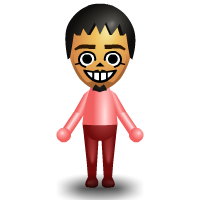
It is with this particular feature that I’ve been transferring, editing and creating Mii Avatars between my meager amount of Mii friends online. Here are some that I’ve made so far (topped off by … “me” above in my signature pink shirt), decided purely upon how easy I remember their faces:
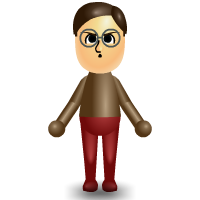

The first two are Rico from Fool45 and Lia from The Gadgenista. Rico bears his signature pondering look as he enjoys his “questions, please” persona and as for Lia, well I recently found out she wears glasses.
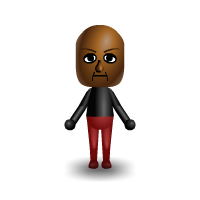
Presenting Abe of Yugatech.com
How to create, edit and transfer Mii Avatars
This is done by transferring Mii’s from the Mii Plaza to your Wiimote via Bluetooth and then downloading a desktop conduit called Mii Transfer, which currently works with OS X. Afterwards, you will need an application called Mii Editor which works online or by download (you need to install Adobe AIR first for it to work offline).

9 replies on “Mii Editor: Create and Edit Mii Avatars on Your Computer”
Uyyy! That’s my Daddy Ricowums! Hihihi.
Wow! Lemme try this at home!
[…] not the Wii that’s a work of wonder – it’s the Wiimote! leave a response trackback Technology, Geek, Wii Enter your […]
The miieditor site is no more. Any chance someone has the Mac OS X standalone file?
I really love the wii it is soooooooo cool!!!!!!!!!!!!!!
i have a nintendo wii 🙂
thanxxxxxxxxxxx
Lets resurrect this application and add new functionality, if you need help, just email me.
my kids like the mii as well..
thread
Just in case I wasn’t clear as to which application.
I’m referring to the Mii Editor and incorporate the Mii transfer into this app too.